> For the complete documentation index, see [llms.txt](https://badland-batteries.gitbook.io/b/llms.txt). Markdown versions of documentation pages are available by appending `.md` to page URLs; this page is available as [Markdown](https://badland-batteries.gitbook.io/b/12s-17000mah-15c-user-manual/lifetime-stats.md).
# Lifetime Stats
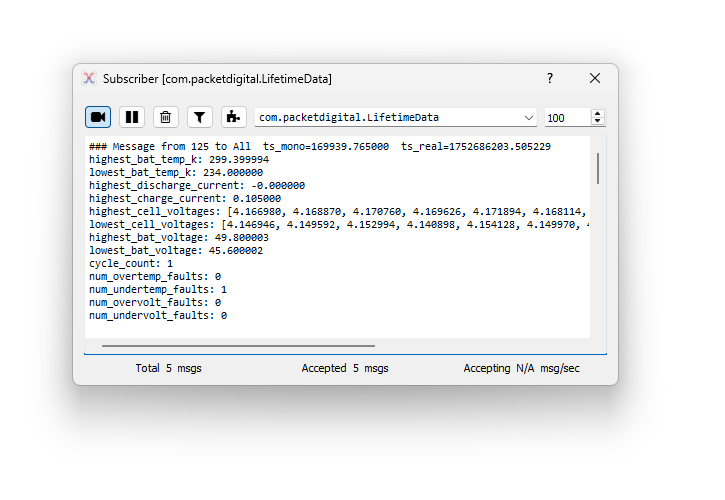
The battery records its lifetime stats. These include:
* highest battery temperature in Kelvin
* lowest battery temperature in Kelvin
* highest discharge current in amps
* highest charge current in amps
* highest cell voltages in volts
* lowest cell voltages in volts
* highest battery voltage in volts
* lowest battery voltage in volts
* cycle count
* number of overtemp events
* number of undertemp events
* number of overvolt events
* number of undervolt events
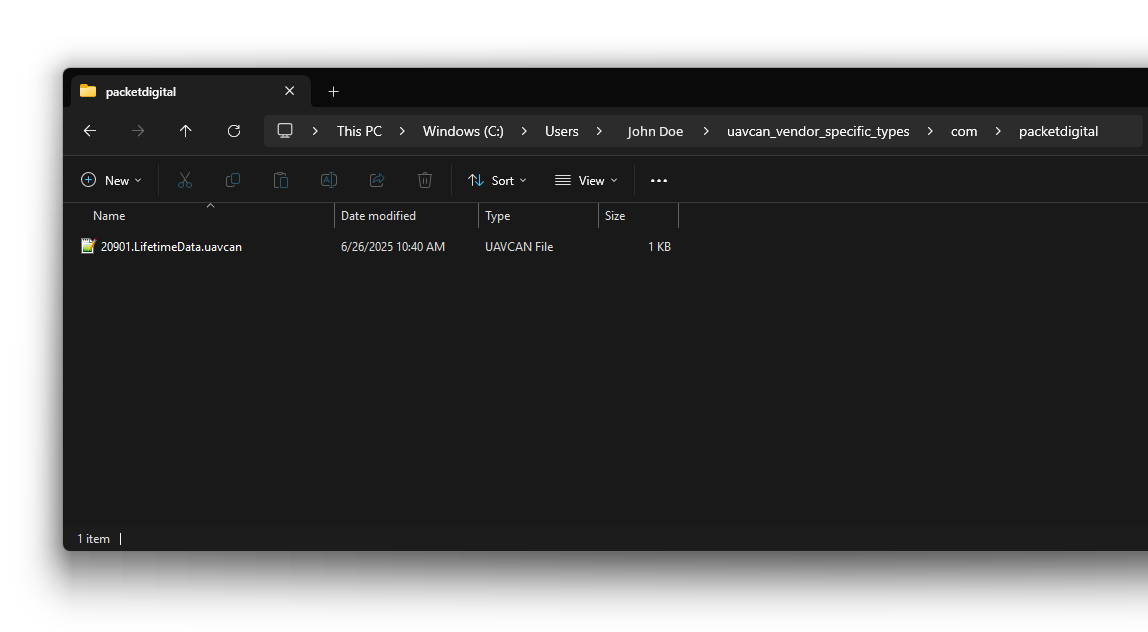
In order to see lifetime stats in DroneCAN GUI, you will need to download this file ([20901.LifetimeData.uavcan](https://downloads.badlandsbatteries.com/1020-00047/20901.LifetimeData.uavcan)).
*NOTE:* If you changed the parameter “uavcan.dtid-com.packetdigital.LifetimeData”, then the number at the beginning of the file name needs to be changed to match the parameter value.
Creating directories as needed, place this file in
(your home folder) / uavcan\_vendor\_specific\_types / com / packetdigital
Follow the instructions in “[Connecting to the Battery with DroneCAN GUI Tool](/b/12s-17000mah-15c-user-manual/connecting-to-the-battery-with-dronecan-gui-tool.md)” > “Setup” for connecting to the battery with DroneCAN GUI Tool.
Follow the instructions in “[Connecting to the Battery with DroneCAN GUI Tool](/b/12s-17000mah-15c-user-manual/connecting-to-the-battery-with-dronecan-gui-tool.md)” > “Setting Parameters” and set “uavcan.pubp-com.packetdigital.LifetimeData” to a value at or above 5,000,000 to enable broadcasting the lifetime stats on CAN.
Lastly, follow the instructions in “[Connecting to the Battery with DroneCAN GUI Tool](/b/12s-17000mah-15c-user-manual/connecting-to-the-battery-with-dronecan-gui-tool.md)” > “Viewing Messages” to view the lifetime data messages.